How to Calculate Percentage Increase and Decrease (Step by Step)
A price goes up, a salary changes, a score drops — and the number you actually want is not just how much it changed, but how much it changed compared to where it started. That comparison is what a percentage increase or decrease gives you. A $20 rise means something very different on an $80 item than it would on a much larger amount, and this guide shows you how to work it out reliably, step by step.
The direct answer
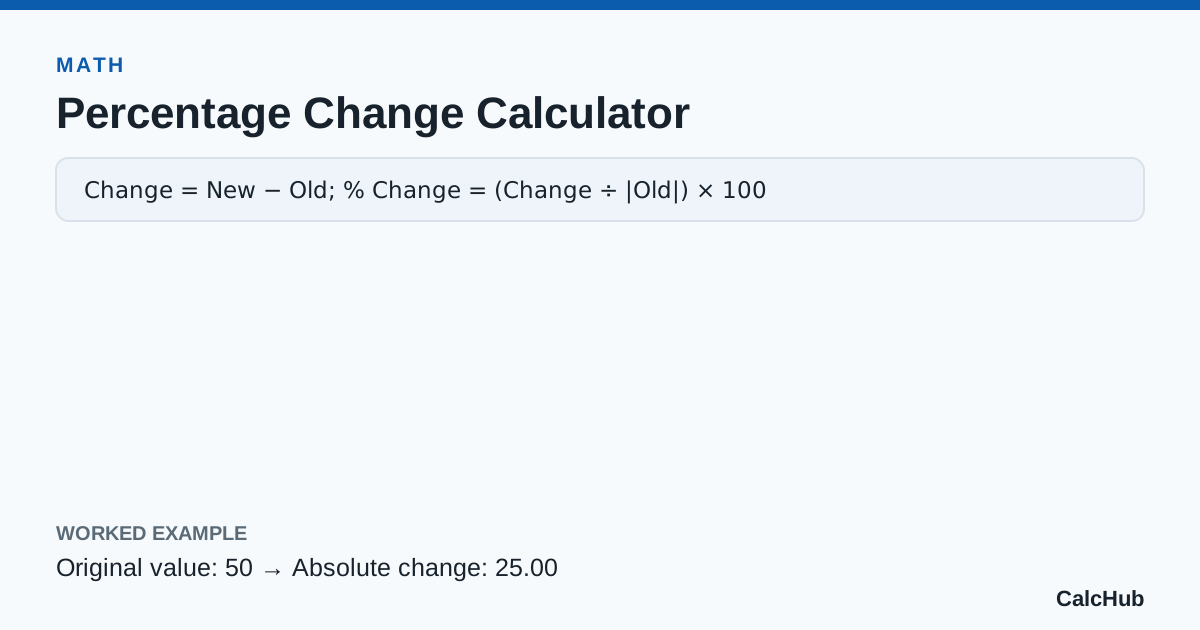
To find a percentage change, subtract the old value from the new value, divide that change by the old value, and multiply by 100.
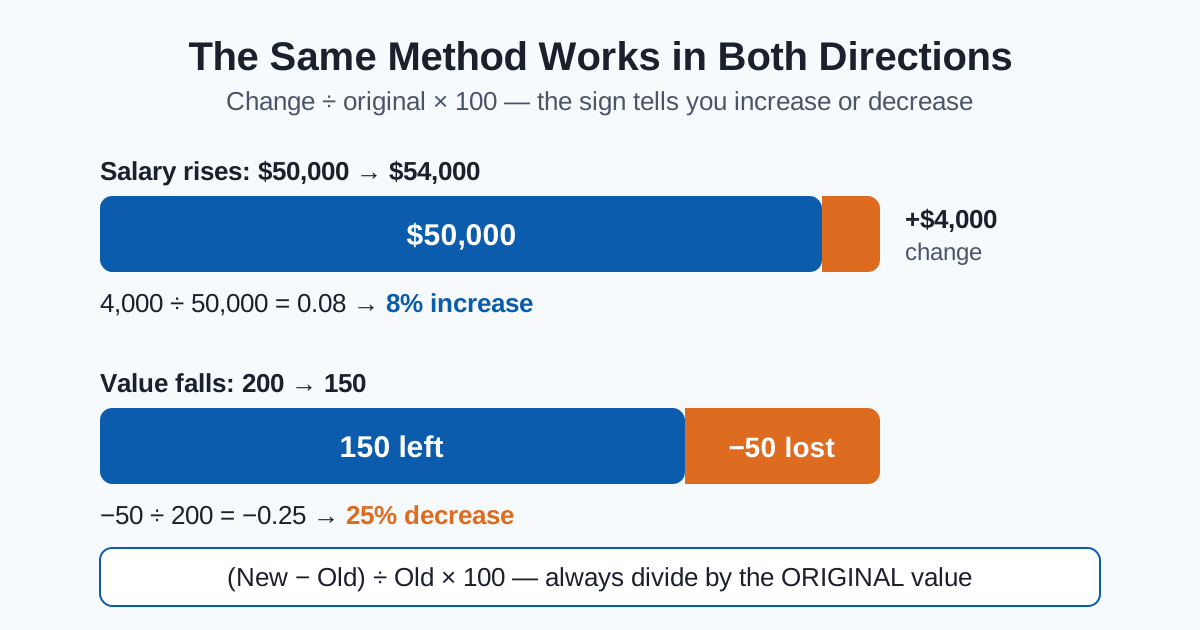
If the result is positive, it is a percentage increase. If the result is negative, it is a percentage decrease.
You can check any example instantly with our Percentage Change Calculator, which shows each step of the working as well as the final answer.
The formula
% change = (new − old) ÷ old × 100
The most important part of the formula is the base: you always divide by the original value, not the new one. The original value is the starting point you are measuring the change against, so it is the value the percentage is "of."
Step by step
- Find the change. Subtract the old value from the new value: new − old.
- Divide by the original. Take that change and divide it by the old value.
- Convert to a percent. Multiply by 100 and add the % sign.
- Read the sign. A positive result is an increase; a negative result is a decrease.
Worked examples
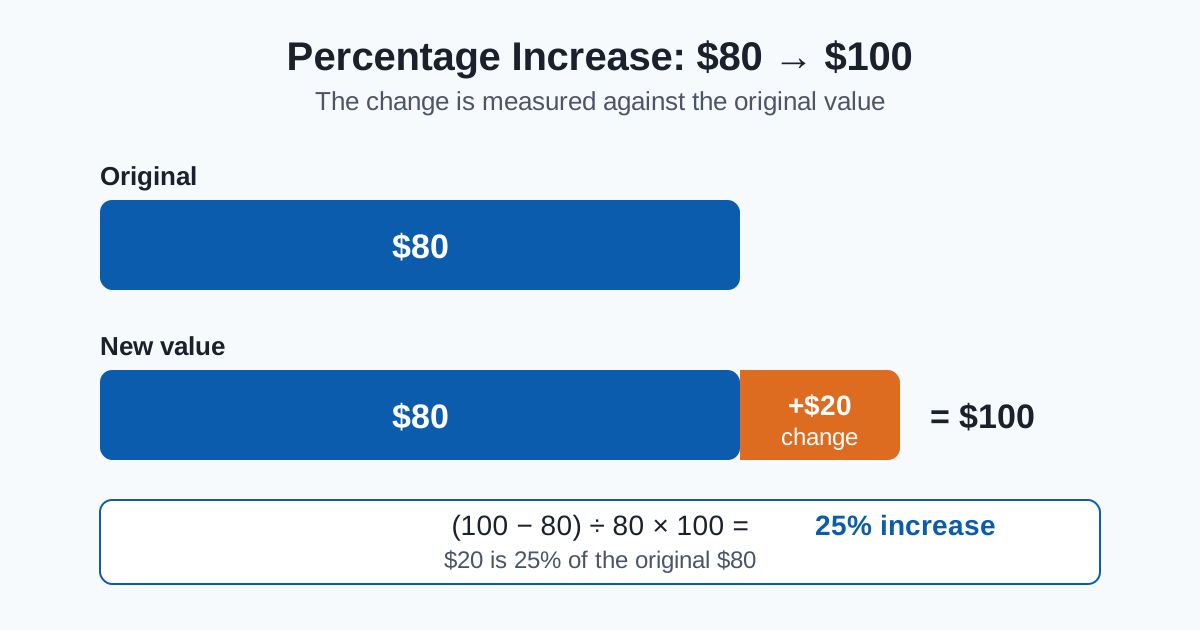
Example 1: A price rises from $80 to $100
- Change: 100 − 80 = 20
- Divide by the original: 20 ÷ 80 = 0.25
- Multiply by 100: 0.25 × 100 = 25%
The price has increased by 25%.
Example 2: A salary rises from $50,000 to $54,000
- Change: 54,000 − 50,000 = 4,000
- Divide by the original: 4,000 ÷ 50,000 = 0.08
- Multiply by 100: 0.08 × 100 = 8%
The salary has increased by 8%.
Example 3: A value falls from 200 to 150
- Change: 150 − 200 = −50
- Divide by the original: −50 ÷ 200 = −0.25
- Multiply by 100: −0.25 × 100 = −25%
The negative sign tells you this is a 25% decrease.
| Old value | New value | Change | Change ÷ old | Result |
|---|---|---|---|---|
| $80 | $100 | +20 | 20 ÷ 80 | 25% increase |
| $50,000 | $54,000 | +4,000 | 4,000 ÷ 50,000 | 8% increase |
| 200 | 150 | −50 | −50 ÷ 200 | 25% decrease |
If you also need to find a simple percent of a single number — for example, a tip or a discount amount on its own — our Percentage Calculator handles that case. If it is specifically a price cut you are checking, the discount calculator shows the reduced price and the amount saved.
Working backwards: finding the original value
Sometimes you know the final price and the percentage change, and you need the starting value. Work in reverse by dividing by the multiplier.
For example, suppose a price after a 20% increase is $96. A 20% increase means the new price is 1.2 times the original, so:
- Original = 96 ÷ 1.2 = $80
A quick mental method
For estimates, build the percentage from 10%:
- Find 10% by moving the decimal point one place to the left.
- Find 5% by halving that 10% figure.
- Combine them to make the percentage you need — for example, 10% + 5% gives you 15%, and two lots of 10% give you 20%.
This works well for a quick check before you confirm the exact figure with a calculator.
Why a 50% loss is not undone by a 50% gain
Percentages are always relative to their starting value, so equal percentages in opposite directions do not cancel out.
- Start with $100 and drop 50%: you are left with $50.
- Gain 50% on $50: you add $25, reaching only $75.
- To recover from $50 back to $100, you would need a 100% gain.
This asymmetry is worth remembering whenever you compare falls and recoveries. It is also why the base value matters so much in every percentage change calculation.
Percentage points vs percent
These two terms sound similar but mean different things.
If an interest rate rises from 4% to 5%, the rate has risen by 1 percentage point — that is simply 5 − 4. But relative to the original rate, the increase is 1 ÷ 4 = 25%, so it is also correct to describe it as a 25% relative increase.
Use "percentage points" when you are subtracting one percentage from another. Use "percent" when you are describing a change relative to the original value. For a fuller comparison, see our guide on percentage change vs percentage difference.
Common mistakes
Dividing by the new value instead of the original. The base is always the starting value. Dividing by the new value measures the change against the wrong reference point and gives a different, incorrect percentage.
Adding percentages directly. Two 10% increases in a row do not make a 20% increase overall. Each increase applies to the new, larger value: 1.1 × 1.1 = 1.21, so the total increase is 21%, not 20%.
Confusing percentage points with percent. As shown above, a move from 4% to 5% is 1 percentage point, but a 25% relative increase. Mixing the two up can make a change sound much smaller or larger than it is.
Forgetting the sign. The sign is part of the answer. A positive result and a negative result of the same size describe opposite directions of change.
FAQ
How do I calculate a percentage increase?
Subtract the old value from the new value, divide the result by the old value, and multiply by 100. For example, from $80 to $100: (100 − 80) ÷ 80 × 100 = 25% increase.
How do I calculate a percentage decrease?
Use exactly the same formula: (new − old) ÷ old × 100. If the new value is smaller, the change will be negative. From 200 to 150, (150 − 200) ÷ 200 × 100 = −25%, which is a 25% decrease.
Why do I divide by the old value and not the new one?
Because the percentage describes the change relative to where you started. The old value is the base the change is measured against, so it belongs in the denominator.
Can a percentage decrease be more than 100%?
For a value that cannot go below zero, such as a price, no — a 100% decrease brings it to zero, and it cannot fall further. The formula itself can produce numbers below −100% only if the new value itself becomes negative.
What is the difference between percentage points and percent?
Percentage points measure the simple difference between two percentages (5% − 4% = 1 percentage point). Percent measures a change relative to the original value (that same move is a 25% relative increase).
How do I find the original price before an increase?
Divide the final price by the multiplier. After a 20% increase, the multiplier is 1.2, so a final price of $96 gives an original of 96 ÷ 1.2 = $80.
Conclusion
Every percentage increase or decrease comes down to one idea: measure the change against the original value. Find the change, divide by the old value, and multiply by 100 — then check the sign to see the direction. For more worked examples in the same format, Khan Academy's fractions, decimals and percentages FAQ covers percent increase and decrease using the same divide-by-the-original method.
Your next step: enter your own two values into the Percentage Change Calculator and follow the working it shows, so you can see exactly how your result was reached. If you want to practise the building block first, read how to find a percentage of a number.